Seasonal Marketing for Local Businesses
A business that closes for the season and one that runs seasonal campaigns have different problems. This piece covers the second.
In this article
Summarize with AI
There are two different seasonal problems and they get conflated.
The first: the business closes out of season. The issue there is closing the profile correctly, managing the interruption in review flow, and opening ready. That is its own subject: profile management for seasonal businesses.
The second: the business is open all year but demand swings with seasons, holidays and special days. A salon before a holiday, a restaurant at new year, a removals firm in moving season, a garage during the winter tyre period.
This piece covers the second. The problem here is not closing but timing.
Finding the week demand lifts
The most expensive mistake in a seasonal campaign is building it after demand has started.
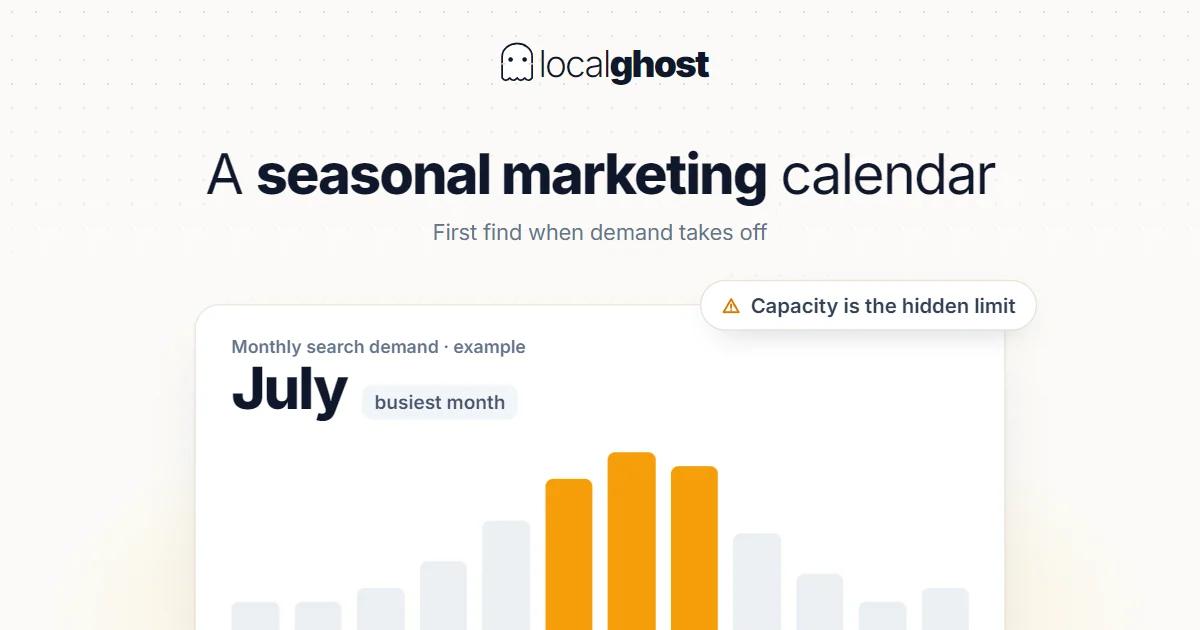
The search side does not react instantly. Demand forms before your campaign: someone looks for an appointment two weeks before the holiday, plans a move a month ahead, thinks about winter tyres when they hear the forecast rather than at the first frost.
The date has to come from data rather than guesswork, and the data is already yours:
Read profile data week by week. Search views and direction requests show where demand lifts off: reading the statistics.
Compare against the same period last year. That is the only thing telling you how far forward to pull this year's preparation.
Look at the appointment book. Not the enquiries but the week real bookings start filling.
One caution: a single year's data is not enough for seasonality. Once you have a second year to compare against, decisions get noticeably better aimed. In the first year you have to work on estimates, and that needs accepting.
The practical rule: finish preparation before the week demand lifts.
Seasonal work on the profile
"Campaign" suggests advertising, but the highest-return jobs are on the profile and free.
Special-day hours. Entering holiday and eve hours in advance. A special day left blank falls back to regular hours and you appear open while closed — in a seasonal rush that is the most expensive mistake: hours optimization.
Seasonal services and attributes. A service added for the period belongs on the list. Seasonal attributes like outdoor seating go here too.
Posts. If something has a date and a time, a post is the right place. The action button has to lead to a page that can actually complete that action: how to schedule posts.
Season-appropriate photos. New year decorations still showing in mid-January make the profile look unmaintained. The date of the newest photo already carries more meaning than the total count: photo optimization.
Testing booking and appointment links. During a rush a broken link produces the most wasteful loss.
Category and name do not change with the season
Two mistakes are common during a rush, and both breach the rules.
Adding campaign wording to the business name. The name must be the real name on the sign. Additions like "holiday sale" breach the naming rules and are open to correction: NAP consistency.
Rotating the category by season. The category defines the body of your revenue; changing it often does not produce a consistent signal. If the business genuinely does different work for a period, the right route is adding a secondary category: how to choose the primary category.
Putting a campaign page in a link field does not last either: Google checks link policy compliance at most daily and may remove non-compliant links.
Managing review flow by season
A busy period is the most productive window in the year for collecting reviews — and the most often missed.
The reason is simple: nobody remembers to ask during a rush. Yet that is exactly when customer numbers peak.
Two things work:
Embed the request in the process. A card at the till, a QR on the packaging, a message at the end of service. A route that does not depend on a person keeps working during a rush: collecting reviews with QR codes.
Spread the request. Some every week through the season. Reviews piled into a short window create an unnatural pattern and get caught by the filter: strategies for increasing reviews.
One boundary: incentives are strictly prohibited. Offering a discount or free service in exchange for a review is treated as misleading content. A seasonal campaign does not make it legitimate.
A busy period carries a risk too: if service quality drops, the reviews accumulate then as well. A business exceeding its capacity leaves its worst impression exactly when it is most visible.
The seasonal use of advertising
Advertising is genuinely the right tool for seasonal demand, because it can be switched on and off.
Unlike the organic side, in advertising the timing is yours. You can start it the week demand lifts and stop it the week it falls. And because you draw the targeting yourself, you can reach an area seasonally that you otherwise cannot: Google Ads and local businesses.
But the order must hold: advertising multiplies your existing conversion rate rather than creating one. A seasonal campaign for a business with wrong hours and an unanswered phone multiplies the loss too.
Two practical settings: count phone calls as conversions, and switch call-focused ads off during hours when the phone is not answered.
After the campaign: the most skipped step
When the season ends, things are left behind to clear up, and they get forgotten.
Remove or update the campaign post. An expired offer sitting on the profile makes the business look unmaintained.
Return special-day hours to normal. Extended hours entered for the rush left in place mean customers arriving for nothing.
Take the seasonal service off the list. A service no longer offered left on the list produces wasted visits and negative reviews.
Update the photos. Photos showing seasonal decorations date themselves.
Switch the advertising off. A campaign left running after demand falls burns budget for nothing.
Record the numbers. Which week it started, which week it ended, how many enquiries arrived. That is the only way to prepare next year from data rather than guesswork — and if the record is not kept once, the second year runs on estimates too.
This clean-up needs tying to a checklist or it does not happen: weekly maintenance calendar.
Season calendars by sector
Food and drink. Special days and holidays; hours and the reservation link are the critical fields: Google Business guide for restaurants.
Personal services. A rush before holidays and special days; appointment capacity and the review-collection window: local SEO for hair salons.
Moving peaks. Demand clusters in particular periods; when capacity fills, response time decides: moving companies.
Holiday transport. Demand multiplies over holidays and drops between them; a phone answered under all conditions is the only decider: taxi ranks and airport transfer.
Multi-branch structures. If branches run different season calendars, each must carry its own hours and campaign: multi-location management.
Frequently asked questions
When should I start campaign preparation? Early enough to finish before the week demand lifts. You find that week by looking at the same period last year in your profile data.
Can I add campaign wording to the business name? No. The name must be the real name on the sign; additions breach the naming rules.
Can I change category by season? Better not to. If you do different work for a period, add a secondary category.
Is a busy period the right time to collect reviews? Yes, and it is the most productive window. But spread the requests across weeks; reviews piled into a short window get caught by the filter. Incentives are strictly prohibited.
Does seasonal advertising make sense? Yes, because the timing and targeting are yours. But the profile and the phone have to work first; advertising multiplies an existing conversion rate rather than creating one.
What should I do when the season ends? Remove the campaign post, return hours to normal, take the seasonal service off the list, update photos, switch advertising off, and record the dates.
Written by
Yunus Akan
Related tools: Review replies · Add GPS to photos · All local SEO tools