Skip to content
Local Rank Tracker

See exactly where you rank on Google Maps

Track your Google Business Profile rankings across every neighborhood, every day. A grid-based map scan shows your position from each point in your service area — not just the spot Google picks for you.

app.localghost.co/dashboard/rank-tracker
9 points
Measured per scan
Daily
Auto-tracking
Before/after
Change tracking
Inside the module

Real local rankings, not a single biased data point

Google Maps ranks differently from every physical location. Localghost's grid scan checks your rank from dozens of points across your service area so you see the truth — and watch it improve as you take action.

Grid map scan

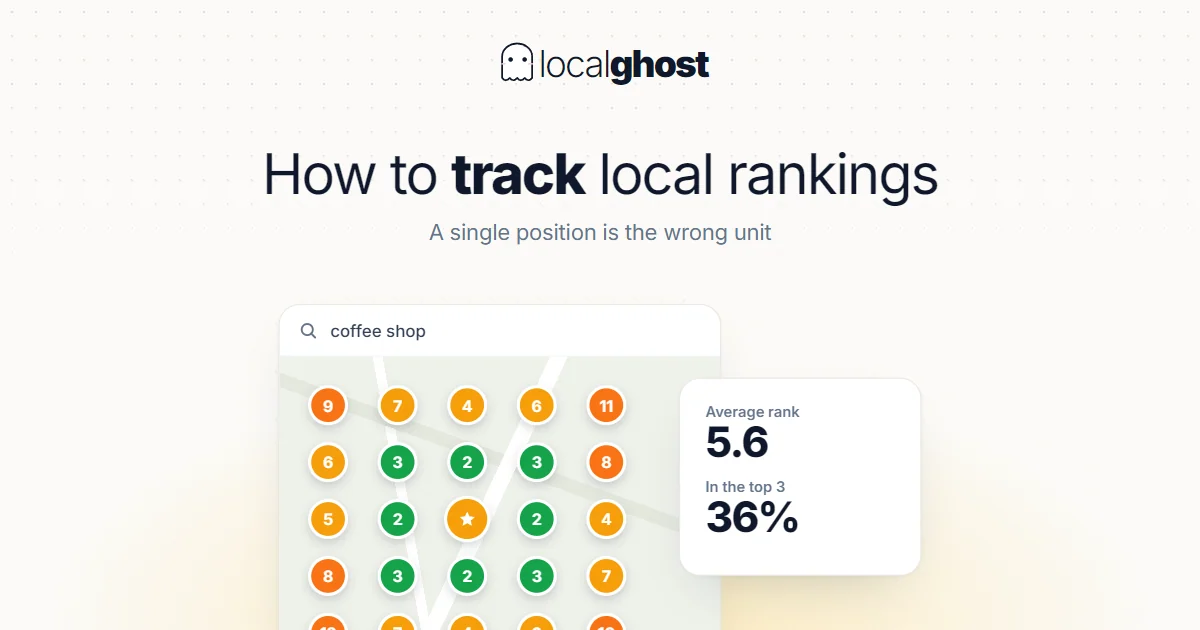
Localghost runs your keyword from 9 map points around your business — the centre plus eight compass directions, within a 6 km radius — and plots every result on the map.

Daily rank tracking

Add keywords once; Localghost checks your position daily. See trend lines per keyword, average rank, top-3 / top-10 percentage at a glance.

Before/after comparison

Save a baseline scan, then re-scan after an optimization. Side-by-side diff shows exactly which grid cells climbed, which dropped and by how much.

Competitor snapshot

Every scan records who ranked around you at each map point — name, rating and review count. You see the businesses actually beating you, point by point.

Keyword portfolio

Track the keywords that matter: branded, unbranded, service + city combinations. Each one keeps its own rank history and daily trend.

Ads separated from organic

Google Maps mixes paid placements into results. Localghost reads the result type and excludes ads, so your reported position reflects organic ranking only.

How it works

1

Connect & pick keywords

Link your Google Business Profile, add the keywords customers actually search for.

2

Run a grid scan

Localghost queries your rank from a grid of map points and visualizes results on a heat map.

3

Improve & re-scan

Take action (optimize profile, post, gather reviews). Re-scan to verify gains, then repeat.

Frequently asked questions

What does a grid map scan show?

Your Google Maps rank for a keyword as seen from many physical points across your service area. Different neighborhoods often see different rankings — the grid surfaces that variance.

How often does Localghost track rank?

Daily. Each tracked keyword refreshes once per 24 hours. You can also trigger a manual re-scan anytime.

Can I see competitors?

Yes. Each grid scan stores the businesses that ranked around you at every map point, with their rating and review count, so you can see exactly who outranks you and where. Dedicated competitor tracking is limited to one pinned rival per location.

How many points does a scan measure?

Nine: the centre of your service area plus eight compass directions within a 6 km radius. Each point is a separate query, so you see rank by location instead of one averaged number.

Fixed or rotating sampling — which one?

Fixed puts the points at the same coordinates every time, so two scans are directly comparable; use it to measure change. Rotating scatters the outer points to probe spots a fixed pattern would miss; use it to explore. Two rotating scans measure slightly different places, so don't compare them point by point.

Will tracking hurt my profile?

No. Localghost queries Google like a regular search; nothing is sent to your profile or visible to Google as activity. Your business data stays untouched.

How grid tracking works

How grid rank tracking actually works

Local rankings are not a single number. This section explains the measurement method behind Localghost's rank tracker — how positions are sampled across your service area, how your business is identified in the results, and which metric tells you the truth about visibility.

01

Why a single ranking number misleads local businesses

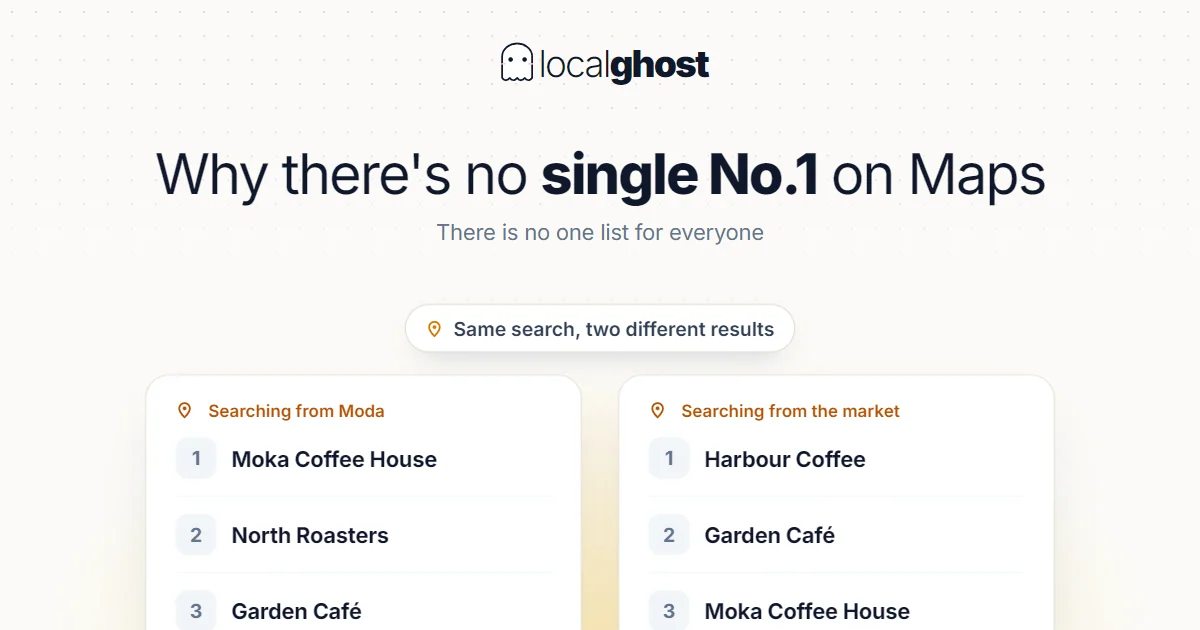
In classic web search, a keyword has roughly one ranking. In Google Maps it does not. Distance between the searcher and the business is a ranking input, so your position changes with the physical location of the person searching. The same query, typed from two streets apart, can return two different orders.

This is why a plain "you rank 4th for plumber" statement is close to meaningless for a local business. Fourth from where? Outside your front door you may be second; three kilometres away you may not appear at all. Both facts are true at the same time, and only one of them affects the customer who is actually searching.

Search Console does not solve this either. Its position metric is an average across every impression — different users, neighbourhoods, devices and histories collapsed into one figure. For broad organic SEO that average is useful. For Maps it hides exactly the variation you need to act on.

Grid rank tracking exists to expose that variation. Instead of asking "where do I rank", it asks "where do I rank from here, and from here, and from here" — then puts the answers on a map so the pattern becomes visible.

02

Fixed and rotating sampling: two different questions

Localghost supports two sampling modes, and they answer different questions. Choosing the wrong one is the most common reason people think a tracker is inaccurate.

Fixed sampling places measurement points at deterministic positions around your business: the centre, plus the cardinal and diagonal directions. The diagonals are corrected so that every surrounding point sits at the same real-world distance from the centre as the cardinal ones — without that correction, corner points would land roughly 1.4× further out and quietly skew the picture toward your weaker edges.

Because those coordinates are identical on every run, fixed sampling is the mode to use when you want to compare. Scan today, optimise your profile, scan again in three weeks: any change you see comes from your rankings, not from the measurement having moved.

Rotating sampling deliberately scatters the surrounding points instead, using a randomised angle and a square-root distance distribution so samples spread evenly across the area rather than forming a visible ring. This is a discovery mode. It finds pockets of weakness a fixed pattern would step over — but two rotating scans measure slightly different places, so comparing them point-to-point is not meaningful.

Practical rule: use rotating to explore your service area, and fixed for anything you plan to report on or track over time.

03

How your business is identified in the results

A subtle but decisive detail: Localghost matches your business in each result set by its Google place identifier, not by comparing business names.

Name matching breaks in the situations that matter most. Chains and franchises share a name across dozens of locations. Branch suffixes get written differently in Google than on your signage. A competitor two streets away may operate under a name almost identical to yours. Any tracker that matches on text will occasionally credit you with a competitor's position — or report you as missing while you are sitting in third place.

Identifier matching removes that class of error. If your listing is in the result set, it is found; if it genuinely is not there, the point is recorded as not found rather than quietly filled in. That distinction is what makes the coverage metric below trustworthy.

04

Ads are excluded from your position

Google Maps mixes paid placements into results. A sponsored listing at the top pushes every organic result down, and a tracker that counts it as position one reports your rank as better than it is.

Localghost reads the result type returned for each entry and separates paid placements from organic ones, so the position you see reflects organic ranking only. This matters most when you are measuring the effect of your own work: if a competitor starts running ads in your area, an ad-blind tracker shows your rank dropping even though your organic position never moved.

05

Coverage is a more honest metric than average rank

Every scan produces several numbers: best position, worst position, average position, how many points placed you in the top three, how many in the top ten, how many did not find you at all — and coverage, the share of measured points where you appeared at all.

Average rank has a trap built into it. It can only average the points where you were found. If you rank third at two points and are absent from the rest, your average looks excellent while your actual visibility is poor. The average improved precisely because the bad points were excluded from it.

Coverage closes that gap. It answers a blunter question: out of everywhere we looked, in what fraction of places does this business exist at all? A business with 40% coverage and an average rank of three is in a very different position from one with 95% coverage and an average rank of six — and the second one is usually healthier.

Read them together. Coverage tells you how wide your visibility is; average and top-three counts tell you how strong it is where it exists.

06

Reading the competitor snapshot

Each scan stores the businesses that ranked around you at every measured point, together with their rating and review count. This is more useful than a list of named rivals you picked in advance, because it shows who is actually beating you, in which part of your area.

Patterns show up quickly. A competitor that outranks you only on one side of the map is usually winning on proximity, and there is little you can do about geography. A competitor that outranks you everywhere, including next to your own door, is winning on profile strength — reviews, categories, completeness, activity. The first case is a fact of life; the second is a to-do list.

Review counts in the snapshot give you a rough calibration too. If the businesses above you hold several hundred reviews and you hold twenty, review acquisition is your bottleneck, and no amount of posting will substitute for it.

07

Turning a scan into a decision

A scan is only worth running if it changes what you do next. Three readings cover most situations.

Strong centre, weak edges. Normal, and largely driven by distance. Do not chase the far edges with profile edits; if the outer area matters commercially, that is an argument for a second physical location or for paid coverage, not for more keywords.

Weak everywhere, including at your own address. This is a profile problem, not a geography problem. Check the fundamentals in order: primary category, complete hours and services, review volume and reply rate, recent activity. Ranking below competitors at your own door means the listing itself is the weak link.

Good coverage but stuck around positions four to ten. You are visible and competitive but not chosen. This is where review velocity, category precision and consistent posting move the needle, and where re-scanning with fixed sampling after each change tells you whether the change worked.

08

Common mistakes when tracking local rank

Comparing scans taken in different sampling modes. Rotating scans sample different coordinates each run; differences between them are partly measurement noise. Compare fixed to fixed.

Reading one scan as a verdict. Maps results shift with time of day and competitor activity. A single scan is a snapshot, and the trend across several is the signal.

Tracking only branded keywords. Your business name will rank well almost everywhere and tells you nothing about acquisition. Track the service-plus-city phrases a customer who has never heard of you would type.

Expecting rank changes within days. Profile edits, review growth and posting take weeks to register. Setting a baseline with fixed sampling and re-scanning after a few weeks is a more realistic cadence than daily checking.