WhatsApp Business Integration Guide
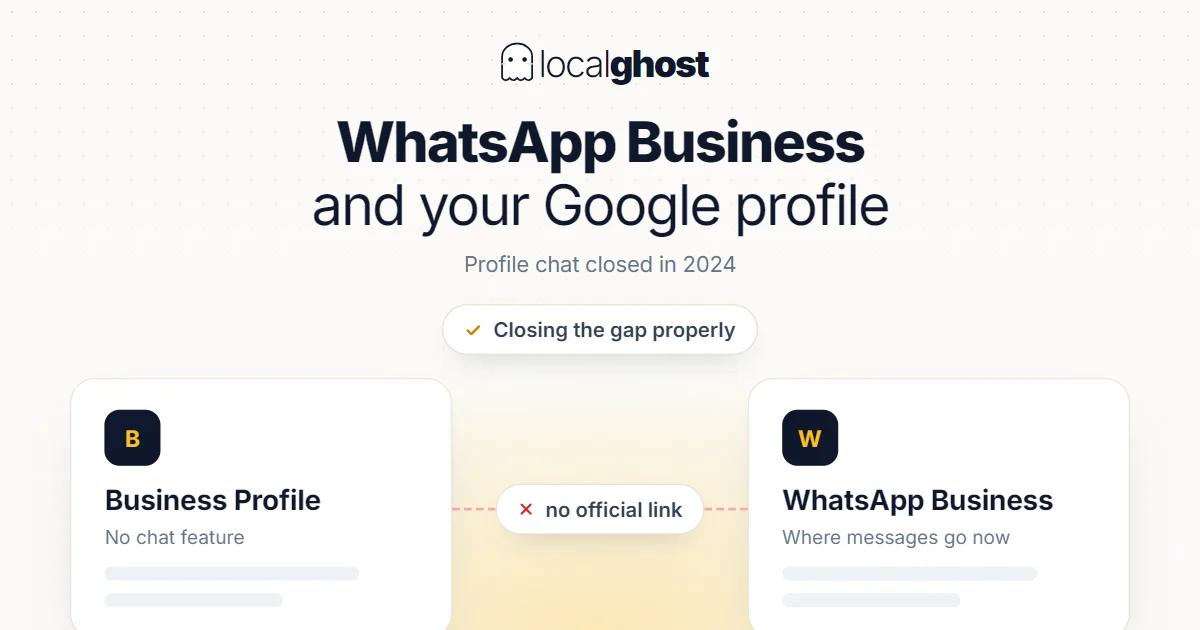
Profile chat closed in 2024 and no official WhatsApp connection replaced it. How to close that gap properly.
In this article
Summarize with AI
Most of the content circulating on this topic is now void, because the feature it rests on no longer exists.
Let us be precise: the chat feature in Google Business Profile was shut down. According to Google's own support documentation, as of 31 July 2024 the chat and call history features are no longer available in the profile. The button a customer used to message you from Maps or a search result is gone.
Second precision: there is no official field that connects WhatsApp to the profile either. The feature described as "integrate WhatsApp into your Google business profile" does not exist. There is no such button and no such setting.
So the question becomes: how do you close the gap between yourself and a customer who wants to reach you by message?
What happened when chat closed
The shutdown has two practical consequences, and many businesses still have not noticed either.
First, there is no inbound message channel. Demand that used to arrive through chat now shifts to the phone or the site. Answering the phone and having a working contact route on the site are therefore more critical than before.
Second, the call history report went too. The log listing individual calls no longer exists. The call count metric in performance data remains, but the "who called when" breakdown does not: reading the statistics.
Which means tracking a missed call through the profile is not possible. If you want to see missed calls, that measurement has to be built on the phone system side.
What works on the profile instead of messaging
With chat gone, these are the surfaces that meet a user arriving with intent to message.
Phone. The highest-intent action in local search. Having the right number and hours that reflect reality does more work than messaging ever did: hours optimization.
The website link. The site field on the profile is where the route to WhatsApp actually gets built. The user goes to the page and sees the WhatsApp option there: website SEO for local businesses.
Appointment and booking links. In appointment-led trades, the field that converts intent directly into a transaction.
Posts. A post can carry a link and an action button, usable to show a contact route attached to an offer or announcement: how to schedule posts.
The questions section. Most questions people would ask by message are questions that could be asked publicly. Writing the common ones there yourself reduces inbound message load.
For the groundwork on what the profile is and which fields actually do work: what Google Business Profile is.
Building the route to WhatsApp properly
Because there is no official connection field, the practical solution is indirect: making WhatsApp visible on your site and your contact surfaces.
WhatsApp's own click-to-chat link does this job: a link containing your number opens a conversation with you directly. Putting that link in your site's contact section, at the foot of service pages and, where appropriate, in a sticky mobile button captures the message-intent user.
Be careful about putting a direct chat link into the profile's link fields: each of those fields expects a page serving its stated purpose, and using a direct deep link is a grey area. The safer route is pointing the field at a contact page where WhatsApp is one of the options. That is both purpose-appropriate and measurable.
One detail matters: number consistency. The number you use on WhatsApp and the number on the profile should be the same. Different numbers confuse users and break information consistency: NAP consistency.
The genuinely useful side of the WhatsApp Business app
The WhatsApp side works on its own terms, independently of Google, and its features here are concrete.
Business profile. Address, hours, category and website live inside WhatsApp too. This information must not contradict what is on your Google profile — hours especially.
Catalogue. Listing products and services answers a portion of "how much is it" messages before they are sent.
Greeting and away messages. An automatic reply to a message arriving out of hours beats leaving it unanswered. Stating your response time manages expectations.
Quick replies. Shortcuts for frequently asked questions. Useful provided the template is a starting point and not the final text.
Labels. Sorting incoming demand into "new enquiry, quoted, completed" reduces the number of messages that go untracked.
The rule of messaging: be permissioned
The biggest risk here is behavioural rather than technical. WhatsApp's own business messaging guidance explicitly asks for responsible behaviour: communicate only with people who want to hear from you, ask customers to save your number, and avoid sending automated or promotional messages to groups.
The practical consequence: blasting a campaign message to your customer list sits at the policy boundary and does not work anyway. A blocked number cannot reach the next genuine enquiry either.
Correct use is reactive: the customer writes, you reply. For messages you initiate, the reason has to be concrete — an appointment reminder, an order status, the answer to something the customer asked.
Requesting a review over WhatsApp is possible, but the same rule applies: to a customer who received the service, immediately afterwards, once. Requests sent in bulk draw complaints and create an unnatural pattern on the review side: strategies for increasing reviews.
Response time is the real decider
In messaging, response time matters more than the choice of tool, and it is where most businesses are genuinely weak.
Local demand is usually present-tense. The value of "is there space today", "are you open now" and "how much would it cost" decays within hours. A perfect answer given two days later does less work than a short answer given within the hour.
So what needs building is not a tool but a habit: who checks messages, and how often. In a one-person business that means a few fixed checks a day; in a team it means being clear about who is watching.
Not opening a channel you cannot answer is also a strategy. An unanswered message creates a worse impression than a channel that never existed. The same logic applies to reviews: turning negative reviews into opportunities.
How much messaging weighs by sector
Trades where messaging beats the phone. In removals the customer can send photos of their belongings; the price question becomes concrete and quoting speeds up: moving companies.
Trades where the phone beats messaging. For immediate needs customers call rather than write. Instead of building a message channel, the priority is a phone answered under all conditions: taxi ranks and airport transfer.
Trades that require a record. In healthcare an enquiry arriving by message has to move into the appointment system; demand that stays in a chat gets lost. Sharing patient information over messaging is also a separate matter for data protection and professional regulation — check your own rules: Google Maps SEO for dental clinics.
Reservation trades. In food and drink, messages that do not convert into bookings just create load; someone who knows table availability has to be watching: Google Business guide for restaurants.
Multi-branch structures. A single central number produces replies with no branch knowledge. A number per branch, with a named person watching it, is what works: multi-location management.
Frequently asked questions
Can I add WhatsApp to my Google profile? There is no official field for it. The practical route is having the profile's website link point to a page where WhatsApp is offered.
Why is the chat feature on my Google profile not working? It was shut down. Per Google's support documentation, chat and call history have not been available in the profile since 31 July 2024.
Where can I see call history? Not on the profile; that report was removed. The call count in performance data remains, but there is no individual call log. To see missed calls, build the measurement on the phone side.
Can I send a campaign message to my customer list on WhatsApp? WhatsApp's business messaging guidance asks you to contact only people who want to hear from you and to avoid automated or promotional messages to groups. Bulk campaigns sit at that boundary and risk being blocked.
Can the WhatsApp number differ from the profile number? Better that it does not. The same number avoids confusing users and keeps information consistent.
Does opening a message channel affect my rankings? No such effect can be claimed. The effect is on conversion: a fast reply raises the share of enquiries that turn into work.
Written by
Yunus Akan
Related tools: Local SEO Audit · Local Grid Scan · All local SEO tools