Schema Markup Setup: A Technical Guide
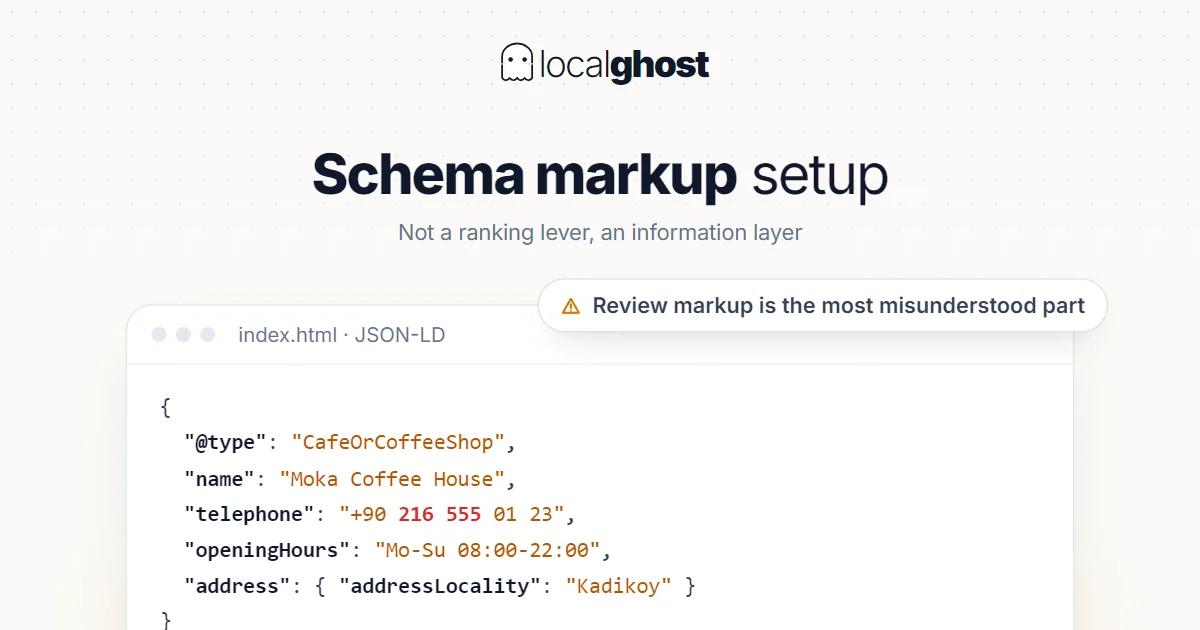
Schema is not a ranking lever. It is a layer that states your information in a form a machine reads exactly. Here is the setup that matters locally.
In this article
Summarize with AI
Schema markup — structured data — means restating what is already on your page in a form a machine can read without guessing. A human understands the sentence "we're closed Sundays"; for a machine that fact also needs to sit in an `openingHours` field.
Set the expectation correctly from the start: schema is not a ranking lever. Google representatives have described structured data as a very light signal. Its job is not to lift you up the results; it is to remove ambiguity about what the content is, and in some cases to make you eligible for a rich result.
In a local business the visibility itself happens on the profile side. Schema turns the site into a layer that supports the profile: what Google Business Profile is.
Which type: LocalBusiness and its subtypes
The base type for a local business is LocalBusiness. If a more specific subtype exists, that one is the better choice: `Restaurant` for a restaurant, `Dentist` for a dental clinic, `HairSalon` for a salon, `Hotel` for accommodation, `AutoRepair` for a vehicle workshop.
The logic matches the logic of picking a category: the narrowest accurate option wins. Using the general type is not wrong, but the specific type leaves less doubt about what the page is. The same principle applies to the category on the profile: how to choose the primary category.
With multiple branches, each branch page carries its own block rather than one page listing five addresses: multi-location management.
Which fields to include
The required set is small; the useful set is a little larger.
Must have: `name` (the business name), `address` (full postal address including country and postal code).
Should have: `telephone`, `url`, `openingHoursSpecification` (days and time ranges), `geo` (latitude and longitude), `image` (a real photo of the business), `priceRange`.
Depending on the case: `sameAs` (profile and social account URLs), `hasMap`, `areaServed` (if you work a service area), `department` (if several units share one address).
One rule sits above all the fields: the information in the schema has to match the profile and the site exactly. A conflicting address or phone number weakens the trust signal and defeats the reason schema exists: NAP consistency.
JSON-LD: where and how
Google's recommended format is JSON-LD, placed in the page's `<head>` or `<body>` inside a `<script type="application/ld+json">` tag. Embedding microdata in the HTML also works, but JSON-LD is both more readable and easier to maintain: the data sits in one block and a design change does not break it.
A technical warning: Googlebot's JSON extraction has tightened. Non-standard formatting — double-escaped HTML text in particular — is no longer auto-corrected. So if your template engine emits escape characters inside the JSON, the block can silently become invalid. This is rarely a problem in hand-written schema; it shows up in dynamically generated schema.
Another common mistake is filling the schema with information that is not on the page. Structured data should restate visible content; putting an opening hour in the markup that appears nowhere on the page is outside policy.
Review and rating markup: the most misunderstood part
Putting reviews about yourself on your own site and hoping for a star rich result is one of the most widespread mistakes in local SEO. Google's guidance is clear here: reviews a business collects about itself, on its own site, cannot be used for this purpose. So-called self-serving review markup does not produce a rich result.
The practical consequence: if you want star visibility, the right place is not your site but your profile. Reviews accumulate there and appear there in search: strategies for increasing reviews.
Rich results change: keeping expectations current
Rich result types are not fixed. Google removes or narrows some of them over time.
Support for HowTo markup has been dropped — step-by-step guide markup no longer produces a rich result.
The visibility of FAQ markup has also narrowed over time. And a long-standing condition still applies: the questions and answers in the markup have to be visible on the page; an FAQ block that exists only in code does not qualify.
The behavioural rule that follows: do not plan schema as a guarantee of a rich result. A type that works today can narrow tomorrow. What stays durable is having the information correct and consistent.
Plugin or by hand
Most local business sites run on a content management system, and schema can get in through two routes.
A plugin or theme feature. The fast route, and enough in most cases. The risk: plugins frequently produce more than one schema block — one from the theme, one from the SEO plugin, one from the page builder. Three conflicting LocalBusiness blocks on the same page is worse than none, because which one is authoritative becomes unclear.
Checking is simple: search the page source for `application/ld+json` and count the blocks. If there is more than one, the extras need switching off.
Writing it by hand. Full control, but the maintenance burden is yours: when the address changes you have to remember to update the template. A practical middle path is holding the information in one place and printing it into the template from there, so the address changes in a single location.
Whichever route you take, once the same information lives in three places — profile, site copy, schema — keeping all three in sync becomes a process question. Which is why events like moving premises or changing a number should put schema on the checklist too.
Showing one entity as one entity
There is a distinction people skip. A site usually talks about two different things: the organisation (the brand, the legal entity) and the physical place of business (the point with an address, hours and a phone). In schema these separate into `Organization` and `LocalBusiness`.
For a single-location business, separating them is usually unnecessary; `LocalBusiness` (or its subtype) represents both. In a multi-branch structure the separation earns its keep: one `Organization` with several places attached.
This is where the `@id` field comes in. Give each entity a stable identifier — typically its canonical URL plus an anchor — and reference that same identifier from other blocks. The block on the homepage and the block on a branch page then read as parts of one structure rather than two separate businesses.
The `sameAs` field does the same job outward. Putting the profile URL and verifiable social accounts there makes the link between the entity on your site and the entity outside it explicit. Only list accounts that genuinely belong to you and are current; linking an abandoned account buys nothing.
The practical value of these links: a structure that refers to the same business under different names creates ambiguity for machines and people alike. Writing the name identically on every surface is the underlying rule, schema or no schema: NAP consistency.
How to test it
Three tools are enough, and all three are free.
The Rich Results Test. Shows which rich results the page qualifies for. Critical errors must be fixed; warnings are improvement suggestions.
The enhancement reports in Search Console. These show errors across the whole site, which is more informative than testing one page.
Your own eyes. Open the source and read the JSON block. In dynamically generated schema this is where the most common faults surface: an empty field, a double escape, a missing comma.
Do not ship without testing, because an invalid block is silently ignored — you never see an error message.
What schema does not do
- It does not lift rankings. A light signal; the real work is in the content itself and, locally, on the profile.
- It does not guarantee a rich result. It creates eligibility; Google makes the call.
- It does not fix wrong information. If the profile and site conflict, schema repeats the conflict rather than resolving it.
- It does not replace the profile. What appears in the local pack is the profile; schema makes the site legible: how the 3-pack works.
Which fields matter by sector
Food and drink. The `Restaurant` type, `servesCuisine`, `menu` and a reservation link. Accurate hours matter here even before schema does: Google Business guide for restaurants.
Accommodation. The `Hotel` type with room and amenity information, plus hour and closure updates through season changes: local SEO for hotels.
Healthcare. The specialty-specific type (`Dentist`, `Physician`) and an appointment link. Content and advertising rules in healthcare may be subject to professional regulation, so check your own regulator: Google Maps SEO for dental clinics.
Service-area businesses. The `areaServed` field earns its place here — while remembering that a declared area is not a ranking radius: home-based service businesses.
Vehicle and technical services. Specific types such as `AutoRepair` plus a service list, with details like report scope living in the page content: vehicle inspection.
Frequently asked questions
Will schema improve my rankings? Not as a direct lever; Google representatives have described structured data as a light signal. Its job is clarifying content and creating rich result eligibility.
Which schema type should I use? LocalBusiness is the base, but use a more specific subtype where one exists (Restaurant, Dentist, HairSalon). The narrowest accurate option wins.
Can I mark up reviews on my own site and get stars? No. Reviews a business collects about itself on its own site cannot be used for this. For star visibility the right surface is your profile.
JSON-LD or microdata? JSON-LD is recommended: it sits in one block, is easier to maintain and survives design changes.
Can I put information in schema that is not on the page? You should not. Structured data should restate visible content; marking up information users cannot see is outside policy.
I set up schema but no rich result appears. Why? Eligibility is not a guarantee; the decision is Google's. Also, an invalid block is silently ignored, so check with the Rich Results Test first.
Written by
Yunus Akan
Related tools: Map rank tracking · Review replies · All local SEO tools