Local SEO for Home-Based Service Businesses
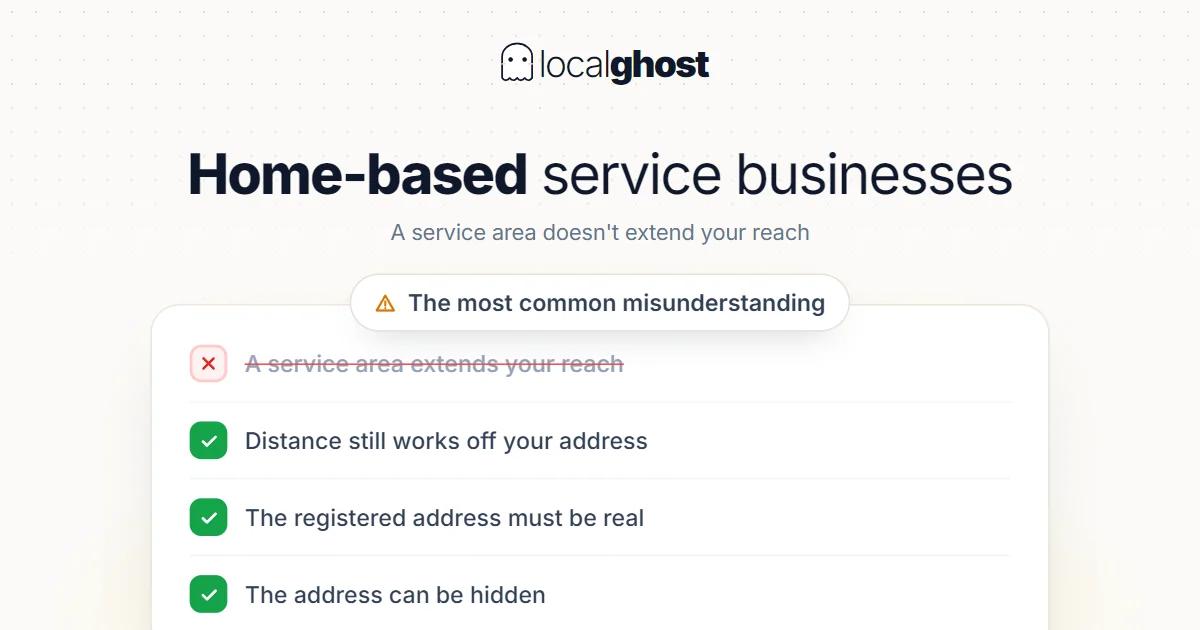
Defining a service area does not extend your reach — the distance input still works off your address. That is the most common misunderstanding.
In this article
Summarize with AI
Businesses that serve the customer at the customer's address — plumbers, cleaners, removals, recovery, mobile technical services — can be set up on Google as a service-area business. In this structure the address can be hidden, and the profile shows the areas served instead of a location.
Done correctly, this setup makes a business that does not want to show an address visible on the map. Done wrongly it creates two separate problems: guidelines risk, and a wasted service-area definition.
The most common misunderstanding: the area does not extend reach
This needs saying plainly, because it is the most expensive misunderstanding: defining a wide service area does not get you seen in searches across that area.
Distance is still a ranking input, and the calculation is still made from your registered location. The service area is a field that tells the customer "I come to you"; it is not a setting that enlarges your ranking radius.
The practical consequence: making the whole city your service area gains nothing in ranking, but it dilutes the profile's focus and brings some demand from places you cannot reach. The whole mechanism: how the 3-pack works.
If a distant area genuinely matters commercially, the answer is not a bigger service area: it is either an actual location there or paid coverage.
The registered address has to be real
Hiding the address does not mean there is no address. The address you register during verification has to be a place you genuinely operate from — a home address, an office, a storage unit.
The situations counted as violations are clear:
- Using a virtual office or a mailbox.
- An address rented purely to appear in that area and not actually used.
- Using another business's address.
These are among the common causes of suspension. Recovering a suspended profile is far harder than setting it up correctly.
Defining the area correctly
The service area is not a marketing field, it is an expectation management field. The correct setup:
- List the places you actually go. Demand from somewhere you cannot reach produces cancellations and negative reviews.
- Separate areas with different pricing. If you charge extra for distant areas, put that in the service description rather than the area list; surprise charges are the most frequent complaint.
- Do not overstate the number of areas. A long list blurs where you genuinely serve.
- Update seasonal changes. If some areas are not served in winter, the list should reflect it.
Three ways to define the area, and how they differ
A service area can be defined in several ways, and the choice follows the shape of the work.
A list of administrative units (district, town, city). The most common and most understandable method. The customer sees their own district on the list and no doubt remains. Clearer than a radius with a vague edge.
A distance radius. A set distance from a centre point. Easy to set up but potentially misleading: a radius draws a neat circle on the map, while your real reach is not a circle because of roads, bridges and traffic. An area that is forty minutes in one direction and fifteen in another is not described accurately by a radius.
A postcode list. The most precise method but the hardest to maintain; usually chosen by larger operations with heavy field work.
The practical recommendation: start with a list of administrative units and remove the places you do not actually go. If you use a radius, test it against your own travel times — a point that looks close on the map can be somewhere you cannot reach.
Reducing the suspension risk
Service-area setups face more scrutiny than businesses with physical signage. What lowers the risk is concrete:
The registered address being genuinely in use. The most basic condition and the most commonly violated.
Preparation for verification. A logo on the vehicle, equipment, footage of work being done, a trade licence if you have one. With these ready, verification passes on the first attempt.
A clean name field. Stuffing districts and services into the name draws more attention in this structure, because physical verification is weaker.
One listing per business. Opening multiple listings for the same service under different district names is the fastest route to suspension.
One more thing to do: keep the information on the profile consistent. Conflicting addresses and phone numbers work against you when scrutiny comes — why NAP consistency matters.
Verification and profile differences
Verification usually takes more steps for service-area businesses; video verification is common in this structure because Google wants to see actual operation. Preparation is simple: the vehicle, equipment, signage, footage of work being done.
Another difference is how some profile fields behave. When the address is hidden, direction requests lose their meaning; so the metric to watch is not directions but calls and messages — reading the statistics.
Building trust without an address
A hidden address leaves a question in the customer's mind: "is this business real?" Closing that gap is the most important job in a service-area setup.
Four things work:
Photos. Team, vehicle, equipment, completed work. With no premises photo, work photos take its place — photo optimization.
Review flow. Without an address, reviews become even more decisive; count and recency together — increasing Google reviews.
Clarity in the description. What you do, where you go, how you price. Ambiguity produces distrust — how to write the description.
The service list. In the words customers use, item by item. It is both a matching and a trust signal.
Setup differences by sector
Removals. Price uncertainty is this sector's core friction, and the service-area setup has to be thought through with it: local and long-distance are two different businesses — moving company SEO.
Mobile technical services. In vehicle inspection, if the service is delivered on site, a fixed point and an area are managed together; how those two separate on the profile is its own topic — vehicle inspection.
Transport and transfers. In taxi and transfer the rank is fixed but the service area is wide; the two overlap on the same profile — taxi and airport transfer.
Collection and buying trades. In scrap there is both going out to site and customers coming to the yard; hiding the address is usually wrong because the customer wants to bring the material — scrap metal and recycling.
Hybrid setups: both an address and an area
Some businesses do both: customers can visit and the service is also delivered on site. Hiding the address is wrong here — you lose the customer who wants to come.
The correct setup: show the address and define the area as well. That way visiting customers can find you and the scope of the mobile service is visible. Hiding the address is only right in trades where the customer never comes.
Frequently asked questions
If I define a wide service area will I appear in more places? No. The distance input works from your registered location; the service area is expectation information, not a ranking radius.
Can I use my home address? You can, and you can hide it. The condition is that it is genuinely the place you operate from.
Is using a virtual office address a problem? It is a guidelines violation and a common suspension cause. Do not register an address you do not actually use.
Why is verification harder? Where there is no physical signage Google wants to see operation; that is why video verification is common. Having the vehicle, equipment and work footage ready makes it easier.
Which metric should I watch with a hidden address? Direction requests become meaningless; calls and messages become the real measure.
I have premises and I also work on site. Should I hide the address? No. If customers can visit, the address should be visible; define the area separately. Hiding is only right where the customer never comes.
Written by
Yunus Akan
Related tools: Grid rank tracking · Photo GPS tagging · All local SEO tools