How to Write an Effective Google Business Description
You get 750 characters, most readers see only the first line or two, and half the advice online contradicts Google's own guidelines. Here is how to spend the budget.
In this article
Summarize with AI
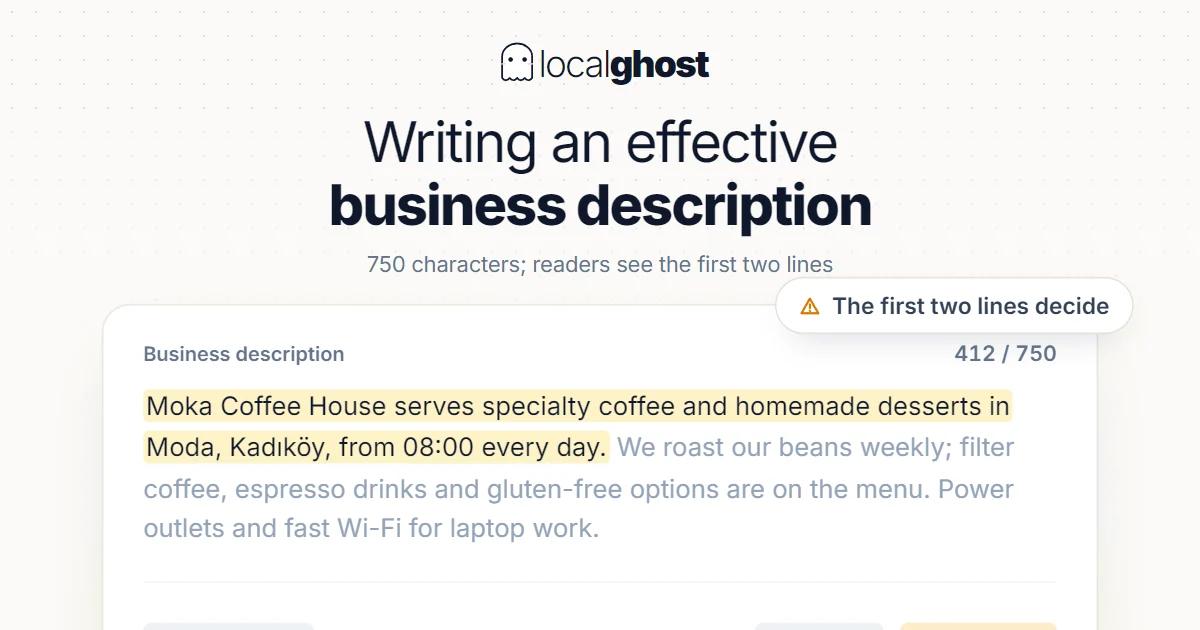
The description on your Google Business Profile gives you 750 characters — roughly 110 to 130 words. It is one of the few fields where you write in your own voice rather than picking from a list, and it is also one of the most commonly wasted, usually on sentences that could describe any business in the category.
This guide covers where the field actually appears, how to structure it, and which of the popular rules about it hold up against Google's own documentation. Some do not.
Where the description appears, and why the opening matters most
The description sits in the About area of your profile — the block that shows when someone finds you in Search or Maps and looks past the headline details. It is not the text under your business name in the local pack; those short lines are generated by Google from your categories and other signals, not from this field.
The practical point: readers rarely see all 750 characters at once. The About section is typically truncated with an expander, and how much shows depends on device and surface. Most people never tap to expand.
That gives you one rule that outranks every other tip here: the first sentence has to carry the message on its own. If your opening line is "Welcome to our business, where quality and customer satisfaction come first", you have spent your only guaranteed impression saying nothing. If it is "Family-run bakery in the old town, baking sourdough and pastries fresh from 6am, with gluten-free options daily", the reader knows whether you are for them before deciding to expand.
The 750-character budget
750 characters is less room than it sounds — about four or five decent sentences. A budget that works in practice:
- Sentence one (~120-150 characters): who you are, what you do, where. The one line that must stand alone.
- Sentences two and three (~250-300 characters): your actual services, named specifically. This is where a reader decides you are relevant.
- Sentence four (~150 characters): what makes the choice easy — years in business, a qualification, a distinctive method, languages spoken, opening pattern.
- Closing line (~100 characters): practical detail that removes friction. Walk-ins welcome, parking on site, appointments by phone, open Sundays.
Two things to leave out of the budget entirely: your address and your phone number as *structured* data. Those have dedicated fields, they display separately, and repeating them here burns characters that could be doing work. Note this is a budget argument, not a rules argument — see the next section.
What Google's guidelines actually say
This is where a lot of published advice goes wrong. Google's guidelines for representing your business are public, and a few of the most-repeated rules are not in them.
Contact details are not banned. Google's guidance states plainly that merchants are permitted to post contact information — social media handles, email, phone number — for their own business on their own profile. What is prohibited is *soliciting* personal or confidential information from others. So the common instruction "never put a phone number in your description or you will be suspended" overstates the case. Leaving it out is still usually the right call, but for space reasons, not fear of suspension.
Promotions are not banned either, but they come with a condition. Google's guidance says any promotion, marketing, contest or giveaway should clearly link to the terms of the activity, with clear guidelines and qualifications, and that promises given or implied must be honoured. That is a high bar to meet inside a 750-character field with no link. It is also the wrong field for it: the description is standing furniture, while offers expire. Posts exist for time-limited things.
Your business name must stay real. The guidelines require you to represent your business as it is consistently represented and recognised in the real world — signage, stationery, branding. This is a name-field rule rather than a description rule, but it matters here because people who cannot stuff keywords into the name often try to compensate in the description. Describing your services naturally is fine; writing a keyword list is not, and it reads badly to the human you are trying to convince.
Categories belong in the category field. Google asks you to choose the fewest number of categories that describe your core business. The description is not a place to compensate for a category choice you got wrong — fixing the primary category will do more for visibility than any wording here.
Edits can be rejected. Google's help documentation acknowledges that profile edits and posts get rejected and lists reasons. If your description does not appear after saving, that is a rejection or a review delay, not necessarily a bug. Rewrite in plainer terms and resubmit rather than saving the same text repeatedly.
One more practical note: write plain text. No markdown, no asterisks for emphasis, no emoji, no ALL CAPS, no decorative symbols around keywords. These do not render as formatting in the About block, they make the text look automated, and heavy-handed emphasis around keywords is the sort of pattern that draws scrutiny.
Keywords: enough to match, not enough to trip
The description is a weak relevance signal compared with your primary category and your service list. It is not nothing, but it is not the lever people treat it as.
A reasonable approach:
- Name your services the way clients say them. "Balayage", "boiler servicing", "emergency callout", "gluten-free" — these are the words people type, and they belong in normal sentences.
- Mention your area once, naturally. "in the old town", "serving north Leeds" reads fine. The same phrase four times does not.
- Do not list. "Plumber, plumbing, emergency plumber, plumber near me, best plumber" is a keyword list wearing a sentence's clothes. Google is unimpressed and so is the reader.
- Write for the person deciding whether to call. That constraint alone prevents most keyword problems, because stuffed text is unreadable.
What the description will not do
Being clear about this saves disappointment:
- It will not move you into the local pack on its own. Category accuracy, review volume and recency, profile completeness and proximity do far more.
- It will not rank you for a city you do not serve. Naming distant cities in your description does not extend your reach and reads as spam.
- It will not fix a wrong primary category. That is the highest-impact field on the profile and it is not this one.
- It will not appear in the local pack snippet. Those lines are Google's, generated from other signals.
What it does do is convert. A reader who has found you and is deciding between you and two competitors reads this block. Treating it as a conversion surface rather than a ranking surface produces better copy and better outcomes.
Rewriting one that is already there
Most profiles have something in the field. A quick pass:
- Read only the first sentence. Does it say who you are, what you do and where? If not, that is the whole rewrite.
- Delete every sentence that would be true of any competitor. "Committed to excellence", "customer satisfaction is our priority", "quality service you can trust" — cut all of it. This usually frees 150-200 characters.
- Spend the freed budget on specifics. Named services, a qualification, a real differentiator, an opening pattern.
- Check length. Under 750 characters. If you are at 300, you are leaving half the field empty; if you are at 200 or below, the field is doing almost nothing for you.
- Read it aloud. If it sounds like a brochure, rewrite it as if answering someone who asked what you do.
Then leave it alone. The description is not something to iterate weekly; get it right and spend the attention on reviews and photos, which move more.
Frequently asked questions
How long can a Google business description be? 750 characters, which is roughly 110-130 words or four to five sentences. Shorter is allowed but wastes the field; there is no benefit to leaving it at 200 characters.
Can I put a link or phone number in the description? Google's guidelines permit merchants to post their own contact information on their own profile, so this is not the suspension risk it is often described as. It is still usually a poor use of the space, since the website and phone fields display separately. What is prohibited is soliciting personal or confidential information.
Can I mention a discount or special offer? Google's guidance requires promotions to clearly link to their terms and qualifications, which is difficult inside a description field with no link. Offers also expire while the description stays. Use Posts for anything time-limited.
Does the description affect my ranking? Weakly at best. Primary category, review signals, profile completeness and proximity carry far more weight. Write the description to convert readers, not to rank.
My new description is not showing. Why? Most likely it is in review or was rejected — Google documents rejection as a normal outcome with several possible reasons. Rewrite in plainer language, remove promotional phrasing and decorative characters, and resubmit once rather than saving the same text repeatedly.
Should the description mention my city? Once, naturally, if it genuinely describes where you operate. Repeating it or listing several cities does not widen your reach and looks like keyword stuffing to both Google and the reader.
Written by
Yunus Akan
Related tools: Grid rank tracking · Photo GPS tagging · All local SEO tools