Google My Business vs Google Business Profile: What's the Difference?
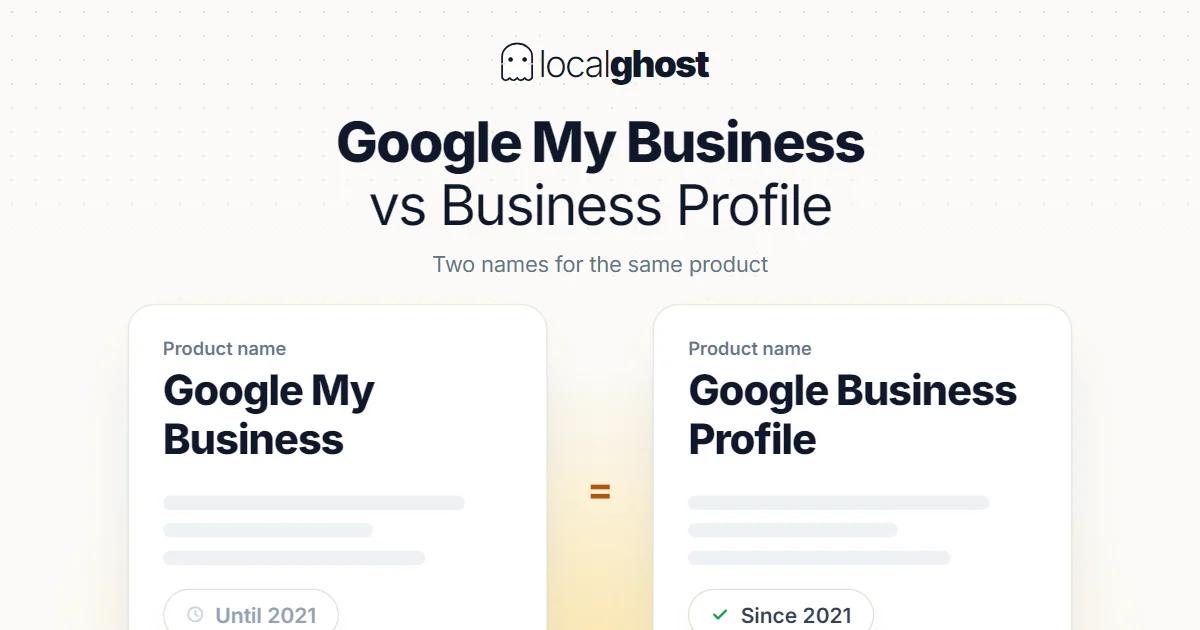
Google My Business and Google Business Profile are the same product under two names. Here is what the 2021 rename actually changed, and where the profile is managed now.
In this article
Summarize with AI
They are the same thing. Google My Business was the original name; Google Business Profile is the current one. Google announced the rename in November 2021, and there is no second product, no migration and no account to move. If you had a My Business listing, you have a Business Profile — same listing, same reviews, same categories, same historical data.
That answer covers most of the question. What follows is the part that actually causes problems: the interface moved, the terminology multiplied, and half the guides you will find online still use the old name.
What the rename changed, and what it did not
Did not change: your listing, its ID, your reviews and their history, your categories, your photos, your posts, your insights data, your verification status, or how Google ranks you. Nothing was deleted and nothing needed migrating. A profile created under the old name behaves identically to one created today.
Did change: the product name, the branding across Google's documentation and help pages, and — the part people actually notice — the way you get to the management interface.
Google retired the standalone My Business mobile app in 2022 and pointed owners to manage their profiles directly in Search and Maps instead, on the reasoning that business owners already have those apps installed. That is the change that generates most of the confusion: people go looking for an app that no longer exists, conclude their access is gone, and start creating duplicate listings. Duplicates are a real problem — they split your reviews and can trigger filtering — so it is worth knowing where to look before you create anything.
Where you actually manage the profile now
There are three routes, and which one you want depends on how many locations you have:
Search, while signed in. Search your own business name in Google while signed into the account that owns the profile. The management panel appears directly in the results. This is the fastest route for a single location and the one Google now treats as primary.
The Maps app, while signed in. Open Maps, tap your profile picture, and your business appears there. Same controls, more convenient on a phone.
Business Profile Manager at business.google.com. This is the dashboard view, and it is the one you want if you manage several locations, work with a team, or need bulk editing. Single-location owners often do not need it at all.
If none of these show your business, that is not a rebrand problem — it is an access problem. Either you are signed into a different Google account than the one that owns the profile, or the profile was never claimed, or ownership sits with someone else such as a former agency. Those are three different fixes, and creating a new listing solves none of them.
The terminology that still trips people up
Several names are in circulation and they refer to different things:
- Google Business Profile — the listing itself, the thing customers see in Search and Maps.
- Business Profile Manager — the dashboard at business.google.com used to manage one or many profiles.
- Google My Business / GMB — the retired name for the product. Still extremely common in industry writing, tool names, job listings and course titles.
- Google Business Profile APIs — the developer interface, renamed in line with the product. Older code and tutorials refer to the GMB API; it is the same family of endpoints.
- Google Maps listing — informal, and usually means your Business Profile.
Practical consequence: when you are searching for help, search both names. A guide from 2019 titled "Google My Business categories" is not out of date because of the name — categories work the same way. Dismissing older material because it says GMB throws away a lot of still-accurate advice. The opposite is also true: content that says "new GMB features" is often just describing the same features under a new label.
Do I need to migrate, re-verify or claim anything?
No, not because of the rename. There was never a migration step. If someone tells you your GMB needs converting to a GBP, they are either confused or selling something.
You do need to act in these situations, and none of them are caused by the rename:
- The profile was never claimed. Google can create an unclaimed listing for a business from other data sources. Claiming and verifying it gives you control.
- Ownership sits with someone else. A former agency or ex-employee holding the primary owner role is common. Google has a request-access flow; it involves waiting for the current owner to respond and escalating if they do not.
- There are duplicates. Two listings for one location split your reviews and confuse Google. These need merging or closing, not editing in parallel.
- Details drifted. Hours, phone, address or category that no longer match reality are worth fixing regardless of what the product is called this year.
What the profile controls, whatever it is called
Part of why the name question keeps coming up is that people are unsure how much rides on this one listing. The answer is: more than most owners expect, and more than their website.
Your Business Profile is the data source behind several distinct surfaces:
- The knowledge panel in Search — the box with your name, hours, phone, photos and reviews that appears when someone searches your business by name.
- The local pack — the three-listing map block that appears for service-plus-location searches. This is where most local discovery happens, and it is populated from profiles, not websites.
- Google Maps — both the app and the web version, including the longer ranked list behind the pack.
- Business-related actions — call buttons, direction requests, booking links and messaging where enabled. These are conversions that never touch your site, which is why profile-only businesses can still get customers and why site analytics understate local performance.
That last point is worth sitting with. A customer who searches, reads your reviews, taps *Call* and books an appointment has converted without a single page view. If you judge your local visibility by website traffic alone, you are measuring the wrong surface. Profile-level data — searches, views, calls, direction requests — is the closer measure, and it lives in the same interface you were looking for at the start of this article.
What people are usually really asking
When someone searches this question, they are rarely doing terminology research. In practice they want one of these:
"Where did my dashboard go?" — see the three routes above. Nothing was taken away.
"Is GMB dead?" — the name is retired, the product is not. Your listing is arguably more central to local search than it was, since profile signals drive the local pack and Maps.
"Do I still need it if I have a website?" — yes, and the profile usually matters more for local visibility than the site does. The profile is what appears in the map results, and for a lot of local searches the customer never reaches a website at all.
"Is there still a free option?" — the profile has always been free and still is. Google sells ads and there are paid third-party management tools, but claiming, verifying and managing your own profile costs nothing.
Frequently asked questions
Is Google Business Profile the same as Google My Business? Yes. Google renamed My Business to Business Profile in November 2021. Same product, same listing, same data. No migration was required.
What happened to the Google My Business app? Google retired it in 2022 and moved management into Search and Maps, where most owners already had the apps installed. The dashboard at business.google.com remains for multi-location and team management.
Why do so many articles and tools still say GMB? The abbreviation stuck. It is shorter, it was in use for years, and a large body of guides, courses and product names were written under it. When you search for help, try both names.
Did the rename affect my rankings or reviews? No. Nothing was reset. Reviews, review history, categories and insights carried over untouched because there was no data move — only a label change.
I cannot find my business when I search for it while signed in. Is it gone? More likely you are signed into a different account than the one that owns the profile, or the profile is unclaimed, or someone else holds ownership. Check which account you are using first, then use Google's claim or request-access flow. Do not create a second listing — duplicates split your reviews and are harder to undo than to avoid.
Written by
Yunus Akan
Related tools: AI review responses · Profile analysis · Grid rank tracking · All local SEO tools